[circle-url]: https://circle.gnome.org [circle-image]: https://circle.gnome.org/assets/button/badge.svg [weblate-url]: https://hosted.weblate.org/engage/cartridges/ [weblate-image]: https://hosted.weblate.org/widgets/cartridges/-/cartridges/svg-badge.svg [discord-url]: https://discord.gg/4KSFh3AmQR [discord-image]: https://img.shields.io/discord/1088155799299313754?color=%235865F2&label=discord&logo=discord&logoColor=%23FFFFFF&style=for-the-badge [flathub-url]: https://flathub.org/apps/page.kramo.Cartridges [flathub-image]: https://img.shields.io/flathub/v/page.kramo.Cartridges?logo=flathub&style=for-the-badge [installs-image]: https://img.shields.io/flathub/downloads/page.kramo.Cartridges?style=for-the-badge > [!IMPORTANT] > Please use [Codeberg](https://codeberg.org/kramo/cartridges) for issues and pull requests. > The GitHub repository is a [mirror](https://en.wikipedia.org/wiki/Mirror_site).
# Cartridges A GTK4 + Libadwaita game launcher [![GNOME Circle][circle-image]][circle-url] [![Translation Status][weblate-image]][weblate-url] [![Flathub][flathub-image]][flathub-url] [![Discord][discord-image]][discord-url] [![Installs][installs-image]][flathub-url]
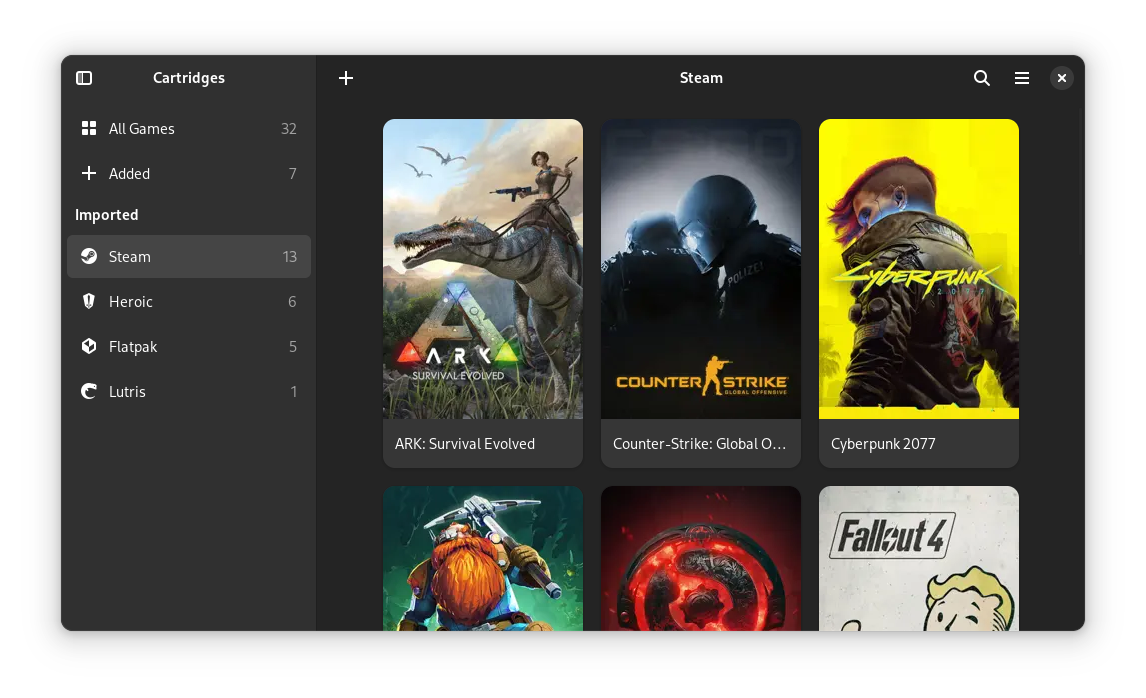
# The Project Cartridges is an easy-to-use, elegant game launcher written in Python using GTK4 and Libadwaita. ## Features - Manually adding and editing games - Importing games from various sources: - Steam - Lutris - Heroic - Bottles - itch - Legendary - RetroArch - Flatpak - Desktop Entries - Filtering games by source - Searching and sorting by title, date added and last played - Hiding games - Automatically downloading cover art from [SteamGridDB](https://www.steamgriddb.com/) - Searching for games on various databases - Animated covers - A search provider for GNOME For updates and questions, join our [Discord server][discord-url]! ## Donations I accept donations through [GitHub Sponsors](https://github.com/sponsors/kra-mo) and [Liberapay](https://liberapay.com/kramo). Thank you for your generosity! 💜 # Installation ## Linux The app is available on Flathub. Download on Flathub ## Windows ### From Releases 1. Download the latest release from [GitHub Releases](https://github.com/kra-mo/cartridges/releases). 2. Run the downloaded installer. Note: Windows might present you with a warning when trying to install the app. This is expected, just ignore the warning. ### Winget Install the latest release with the command: `winget install cartridges`. ## macOS 1. Download the latest release from [GitHub Releases](https://github.com/kra-mo/cartridges/releases). 2. Move the app into your Applications folder. Note: macOS might tell you that the application could not be checked for malicious software or something similar. In this case, open System Settings > Privacy & Security, scroll down, find the warning about Cartridges and click "Open Anyway". More information can be found [here](https://support.apple.com/en-us/102445). ## Building manually See [Building](https://codeberg.org/kramo/cartridges/src/branch/main/CONTRIBUTING.md#building). # Contributing See [CONTRIBUTING.md](https://codeberg.org/kramo/cartridges/src/branch/main/CONTRIBUTING.md). Thanks to [Weblate](https://weblate.org/) for hosting our translations! # Code of Conduct The project follows the [GNOME Code of Conduct](https://conduct.gnome.org/). See [CODE_OF_CONDUCT.md](https://codeberg.org/kramo/cartridges/src/branch/main/CODE_OF_CONDUCT.md).